
Code review best practices for authors and reviewers
 Zihua Li · · 9 min read
A pull request sits for two days, comes back with thirty comments that mix a real bug with brace placement, and the author can’t tell which ones block the merge. Most teams don’t need a heavier process to fix that. They need a few shared habits: on the author’s side, on the reviewer’s side, and in what they hand to tools.
The core code review best practices: keep pull requests small (around 100 changed lines is a good target), explain the intent in the description, respond within one business day, read the main change before the details, comment on the code rather than the person, label optional comments as nits, approve once the change improves the codebase, and automate style checks.
What code review is for
Code review is a teammate reading a change before it merges. It catches bugs and design problems while they are still cheap to fix, keeps the codebase consistent, and spreads knowledge so more than one person understands each part of the system. Google’s engineering practices sum up the goal as keeping the overall code health of the system improving over time, which is a useful test for every comment: does this make the codebase better, or does it only make it different?
The practices below split into three groups: what authors do before asking for review, what reviewers do while reading, and what a team writes down or automates so neither side has to argue about it on every pull request.
Code review best practices for authors
- Keep pull requests small. Google’s guide calls 100 changed lines usually reasonable and 1,000 usually too large, and notes that 200 lines spread across 50 files is too large as well. Small changes get reviewed faster and more thoroughly, introduce fewer bugs and are simpler to roll back.
- Describe the intent, not only the diff. Say what problem the change solves, why you chose this approach and what you left out on purpose. Link the issue, and point the reviewer at the file that holds the main logic.
- Split refactors from behavior changes. A rename across 40 files hides the three lines that change behavior. Put mechanical moves and renames in their own pull request, or stack them so each one reads on its own.
- Review your own diff first. Read it in the review tool before you ask anyone else. Leftover debug output, commented-out code and missing tests are easier for you to remove than for a reviewer to point out.
- Let CI and automated review run before you request a person. Formatting, lint errors and failing tests shouldn’t cost a reviewer’s attention.
- Answer every comment. Fix it, or reply with your reasoning. A disagreement settled in the thread is better than a silent push the reviewer has to diff again.
Code review best practices for reviewers
- Respond within one business day. Google’s guide sets one business day as the maximum time to respond to a review request, and asks reviewers to pick up a review shortly after it arrives when they aren’t in the middle of focused work. A quick first response matters more than a fast full review.
- Read in the right order. Start with the description and decide whether the change should exist at all. Then review the file with the most significant logic; a design problem found there can make the rest of the review unnecessary. Only then read the remaining files, and read the tests to confirm what the change is meant to do.
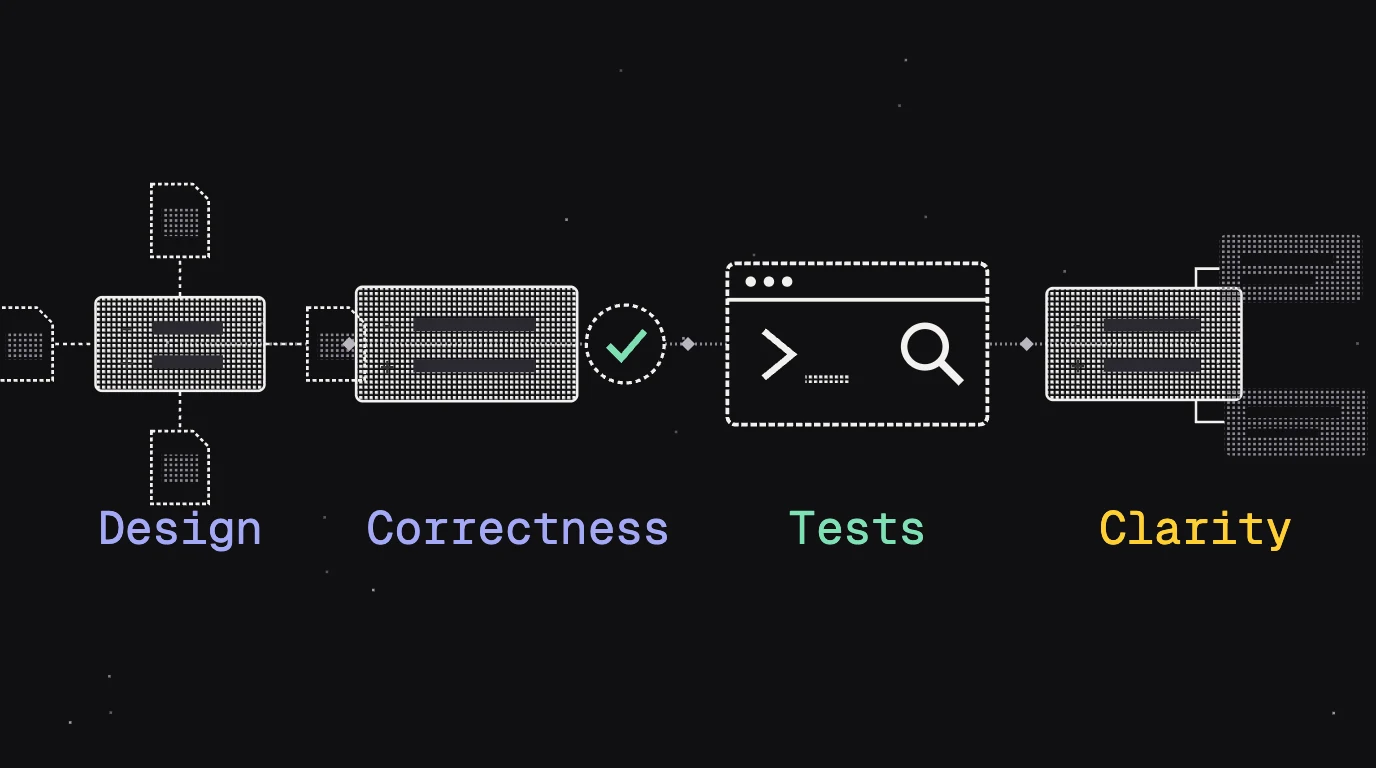
- Know what to look for. Design first, then correctness and edge cases, tests, security and data handling, naming and readability. Our code review checklist lists the questions to ask in each area.
- Keep each sitting short. SmartBear’s study of a Cisco Systems programming team found that reviewing 200 to 400 lines over 60 to 90 minutes yields 70 to 90% defect discovery, that defect density drops sharply at rates faster than 500 lines an hour, and that performance falls off after about 60 minutes.
- Comment on the code, not the developer. “Why did you use threads here?” reads as a challenge; “The concurrency here adds complexity without a performance benefit I can see” describes the code. Explain why a change is needed, and suggest a direction when you can. Our guide to writing code review comments has examples.
- Label how much each comment matters. Prefix minor polish with
Nit:, ideas worth considering withOptional:, and things to think about later withFYI:. Unlabeled comments read as required, and the author can’t tell what blocks the merge. - Approve with nits. Approve once the change clearly improves the codebase, even if it isn’t perfect. Google’s guide supports approving while comments are still open when you trust the author to address them or they are minor, which saves a full round trip, especially across time zones.
- Use the review decision deliberately. On GitHub, batch line comments with Start a review so they post together, then submit Approve, Comment for feedback without a decision, or Request changes for feedback that must be addressed before merging.
A reviewer’s job is to decide whether a change makes the codebase healthier, not to make it match how they would have written it. Comments that state a reason and a severity let the author fix what matters first, and approving with open nits keeps a good change from waiting another day for a second round.
How to write code review guidelines for your team
- Automate style. A formatter and linter in CI settle indentation, import order and naming conventions on every run. Reviewers who stop commenting on formatting have more attention for logic.
- Write standards down where tools can read them. A rule a reviewer repeats in comments belongs in a file. Put coding conventions in
AGENTS.mdso coding agents follow them, guidance that only matters in review inREVIEW.md, and requirements that are costly to miss in a repository check that runs on every matching pull request. See how HeyDeer applies review rules.
Keep the written guideline short: how small a pull request should be, how fast a first response is expected, which comment labels the team uses, how many approvals a change needs, and who owns which areas. Everything a tool can enforce goes into CI instead of the document.
How to review a pull request, step by step
- Read the description and the linked issue. If the change shouldn’t exist, say so early and courteously, and suggest what to do instead.
- Open the main file first. In Files changed, find the file with the core logic and check its design before anything else.
- Read the rest in order. Go through the remaining files in the order GitHub lists them so none are missed, and tick Viewed on each. If a file changes after you view it, GitHub unmarks it, so you see what’s new on the next round.
- Comment with reasons and labels. Use Start a review so your comments stay pending until you submit them together.
- Submit a decision and say in the summary which comments block the merge.
How to review pull requests written by AI agents
Agent-written pull requests need the same review, and often more of it. In our coding-agent review benchmark, eight coding agents built the same two features in Umami, an open-source analytics app, and every one of the 16 pull requests they opened had issues.
The problems were mostly ordinary ones. Of the 119 issues HeyDeer found in those 16 agent-written pull requests, each checked against the code, 3 were high severity, 54 medium and 62 low; none was rated critical. Most were limited functional, performance or maintenance harm, or small concrete issues, the kind that pile up quietly.
A few practices help with agent-written code in particular:
- Review the task as well as the diff. Read the issue or prompt the agent worked from, and check that the change does that and nothing else.
- Don’t rely on the agent checking itself. The model that wrote the code tends to accept its own reasoning and miss its own mistakes, even when asked to check its work. A reviewer separate from the author catches more.
- Watch repeated revisions. When an agent revises the same code again and again, each change can quietly break something an earlier one got right. Review every push, not only the first.
- Read the tests closely. Check that new tests exercise the behavior described in the task, and that existing tests weren’t loosened to make them pass.
Our guide to how AI code review works explains what an automated reviewer catches and what it still misses.
How to split the work between people and an AI reviewer
An AI reviewer is most useful when it goes first. The setup HeyDeer recommends for teams with human reviewers: HeyDeer reviews every push, its check fails while findings are open, and your branch rules require that check. Reviewers start reading once it passes, so they can focus on design, product behavior and the questions HeyDeer lists under Needs clarification.
| Work | Who handles it |
|---|---|
| Formatting and lint | CI, on every run |
| Error handling, boundary values, concurrency, broken callers | AI reviewer, on every push |
| Team rules that are costly to miss | Repository checks, on every matching pull request |
| Design, product behavior, whether the change should exist | Human reviewer, after the automated review passes |
Routine changes don’t always need to wait for a person. With automatic approval kept at low- and medium-risk pull requests, HeyDeer approves routine changes once no findings remain, and high-risk ones wait for a reviewer with the reason stated in the review. Turn on Dismiss stale pull request approvals when new commits are pushed so every approval covers the latest code.
Where agents open pull requests and nobody reads them before merge, the setup for teams without code review makes HeyDeer’s approval and check the gate: the agent reads the review after each push, fixes the findings and pushes again, and GitHub auto-merges once HeyDeer approves and every required check passes.
If the automated reviewer posts comments nobody acts on, fix the cause rather than teaching people to skim. Switch the feedback scope to Concise, mark generated files linguist-generated, filter out bot pull requests, and say in review instructions what to leave alone, narrowly and with a reason. The guide to reducing noise lists each fix.
Sources
- Google Engineering Practices: The standard of code review
- Google Engineering Practices: Speed of code reviews
- Google Engineering Practices: Small CLs
- Google Engineering Practices: Navigating a CL in review
- Google Engineering Practices: How to write code review comments
- SmartBear: Best practices for peer code review
- GitHub Docs: Reviewing proposed changes in a pull request
Frequently asked questions
What is a PR review?
A PR review is a teammate reading the changes in a pull request before they merge, leaving comments on specific lines and then submitting a decision. On GitHub that decision is Comment, Approve or Request changes; Request changes means the feedback must be addressed before the pull request can merge.
Why do pull requests need to be reviewed?
Review catches bugs, design problems and missing tests before they reach the main branch, and it spreads knowledge of the codebase across the team. It matters even more for agent-written code: in our benchmark, all 16 pull requests opened by eight coding agents had issues.
How to check code review?
Open the pull request, read the description, then go to Files changed. Start with the file that holds the main logic, add line comments with Start a review so they post together, mark files as Viewed as you finish them, and submit the review with Comment, Approve or Request changes.
How long should a code review take?
Respond within one business day, which is Google’s stated maximum. Keep each sitting to about an hour: SmartBear reports that reviewers’ performance drops off after roughly 60 minutes, and that 200 to 400 lines over 60 to 90 minutes is the range where reviews find the most defects.
How many lines of code should a pull request have?
Google’s guide calls 100 lines usually reasonable and 1,000 lines usually too large. The spread matters too: 200 lines in one file can be fine, while the same 200 lines across 50 files usually is too much to review well.
What does nit mean in code review?
Nit, short for nitpick, marks a comment as minor polish the author may choose to skip, such as a naming preference or a typo. Labeling nits lets the author tell required changes from optional ones, and lets the reviewer approve while the nits are still open.
Should AI review replace human code review?
It works best as a first pass. An AI reviewer can check every push for edge cases, error handling and broken callers, so people start reading once those are fixed and spend their time on design and product decisions. Teams whose agents merge without a human reader can let the AI review gate the merge.
Who should review a pull request?
Someone who knows the code being changed, ideally an owner of the affected area, plus anyone whose system the change touches, such as a security or database owner for risky changes. One required approval covers most routine changes.